The GPS tracking platform for every vehicle.
Connect your GPS trackers and see every vehicle live: map, trips and alerts, on the web and on your phone.
Wherever you are
Dashboard
Your whole fleet on one screen.
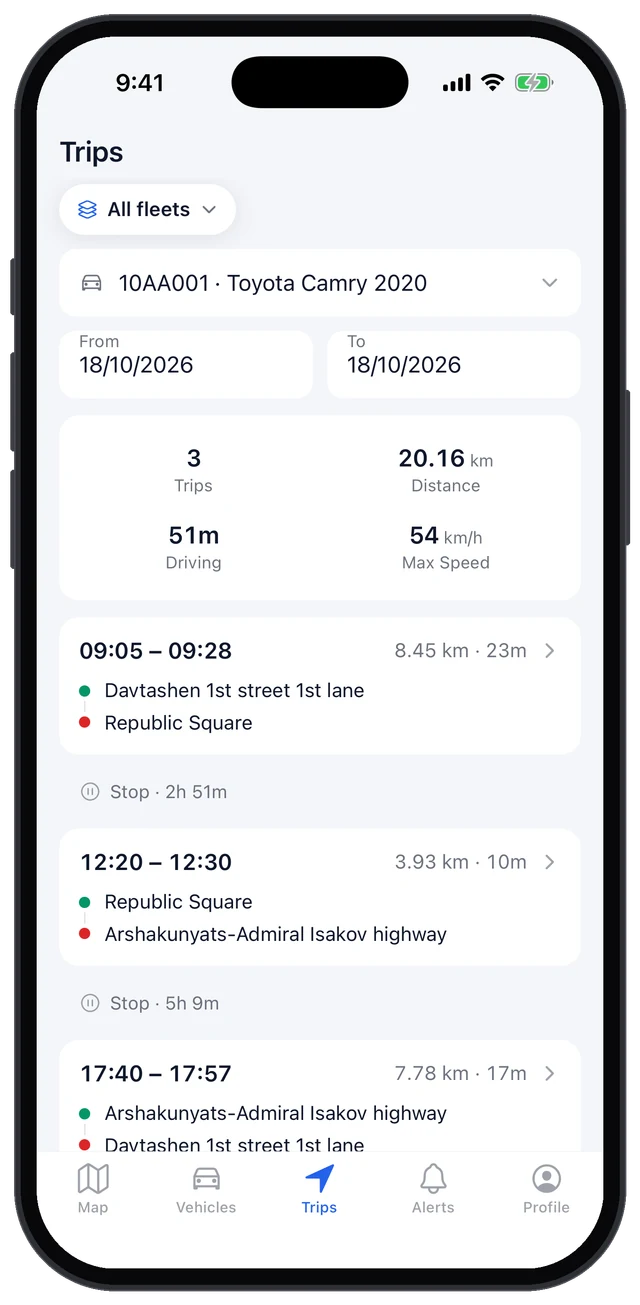
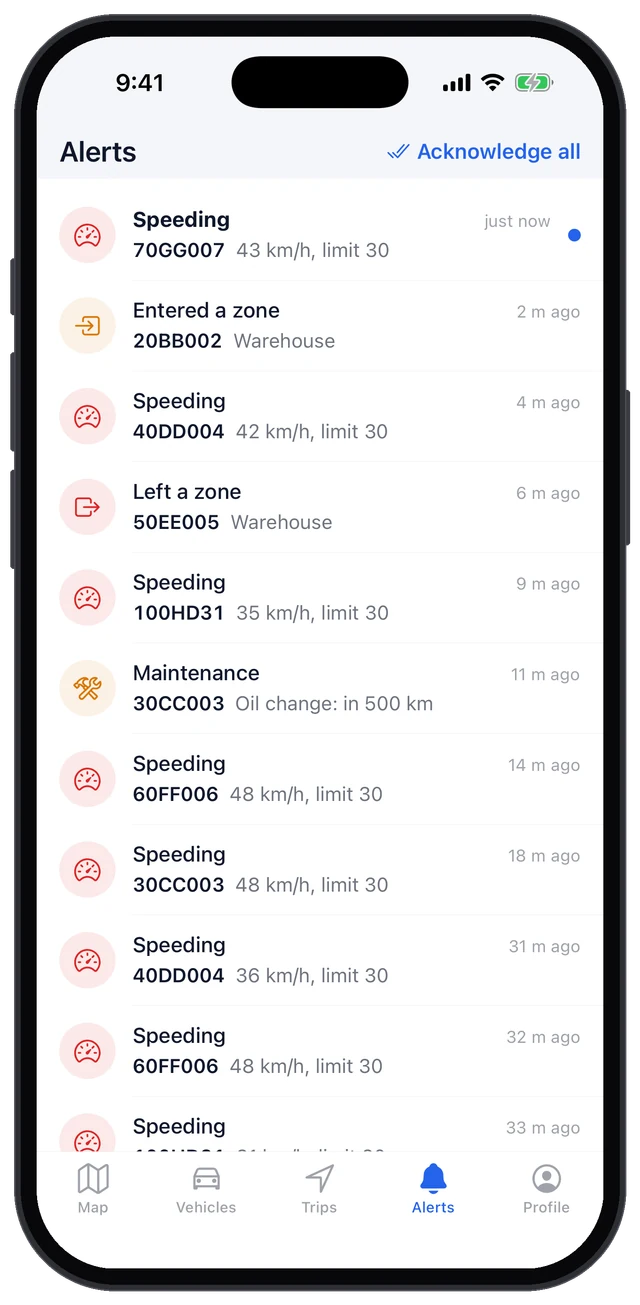
Mobile app
Your vehicles in your pocket.
Telegram bot
Alerts in your group chat.
What you get
Everything you need to run a fleet, in one place.
Tracking
- Live map
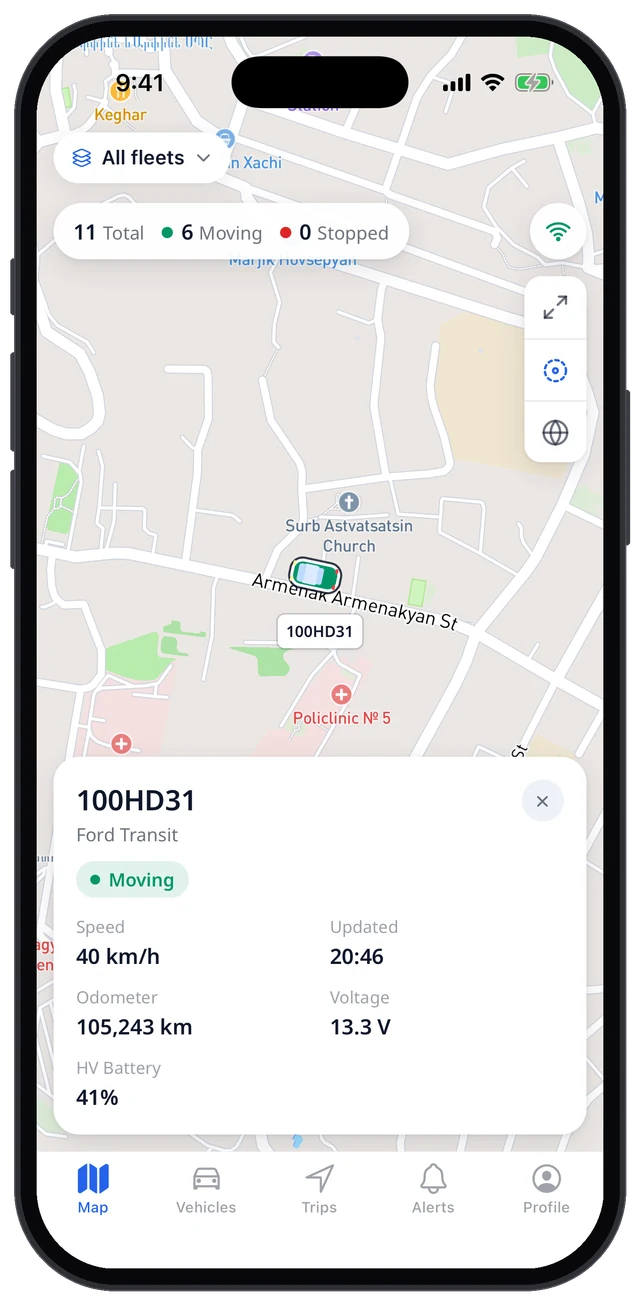
Every vehicle on the map in real time, with its speed and status.
- Trips and history
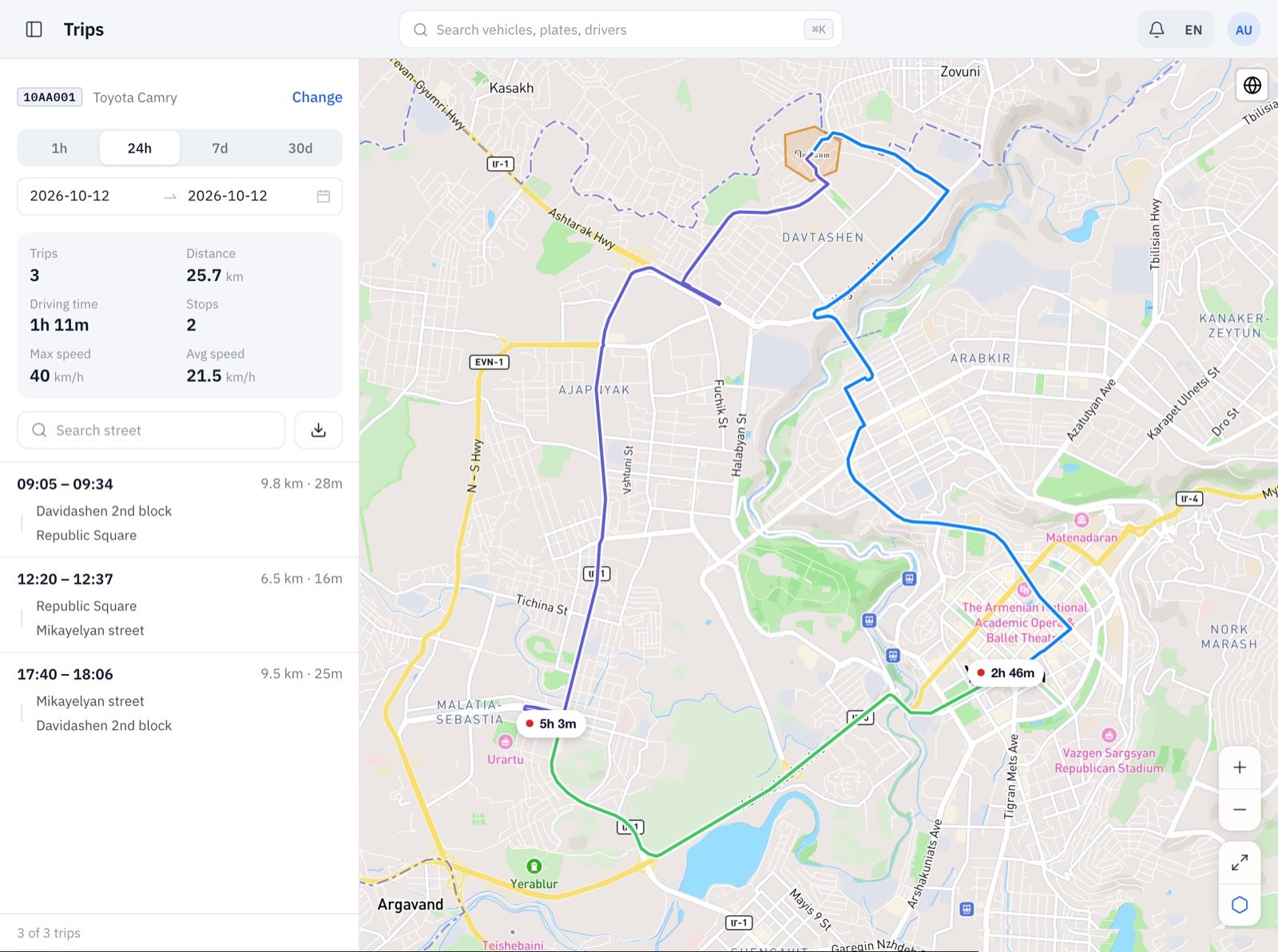
Route, distance, stops and time of every trip, kept for 6 months.
- Geofences
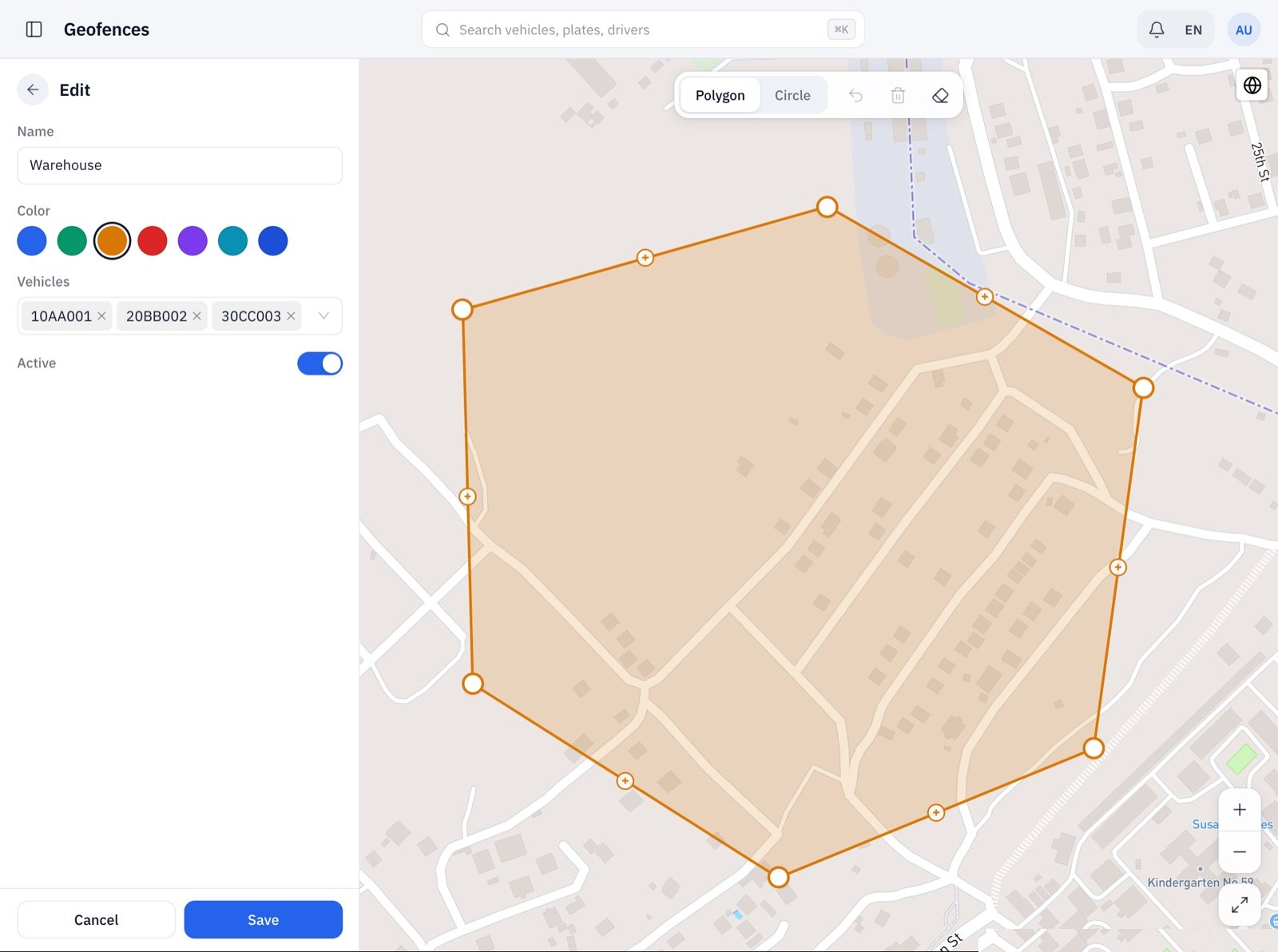
Draw a zone of any shape and know when vehicles enter or leave it.
Alerts
- Speeding
Set a speed limit and get an alert when it's exceeded.
- Connection loss
Know right away when a tracker stops reporting.
- Where you want them
In the mobile app, on the dashboard and in your Telegram group.
Vehicle care
- Maintenance reminders
By kilometres, engine hours or date: oil, brakes, insurance and more.
- Fuel
Fuel level and consumption from a fuel sensor or the car's own data.
- Driving style
Idling and harsh braking for every vehicle and driver.
Control
- Remote control
Stop the engine or lock the doors remotely, when the tracker is wired for it.
- Access by role
Each company, fleet and user sees only its own vehicles.
- Activity log and exports
Who did what and when, plus exports to Excel.
Who it's for
GPS installers and dealers
Run all your clients in one place. Each client, with its companies and fleets, sees only its own vehicles.
How it works for installersCompanies with vehicles
Delivery, service vans, trucks: know where every vehicle is and how it's used.
How it works for companiesRental and leasing
See where your cars are and how far they go, and stop the engine if you need to.
How it works
Install a tracker
A Teltonika GPS tracker goes into each vehicle. You may already have them.
We connect it
We point the trackers to Trekk and set up your companies and users.
Watch your fleet
On the web, in the mobile app and in Telegram.
This is how it looks
Trips
Every trip's route, distance and time.
Geofences
Draw a zone of any shape and pick the vehicles.
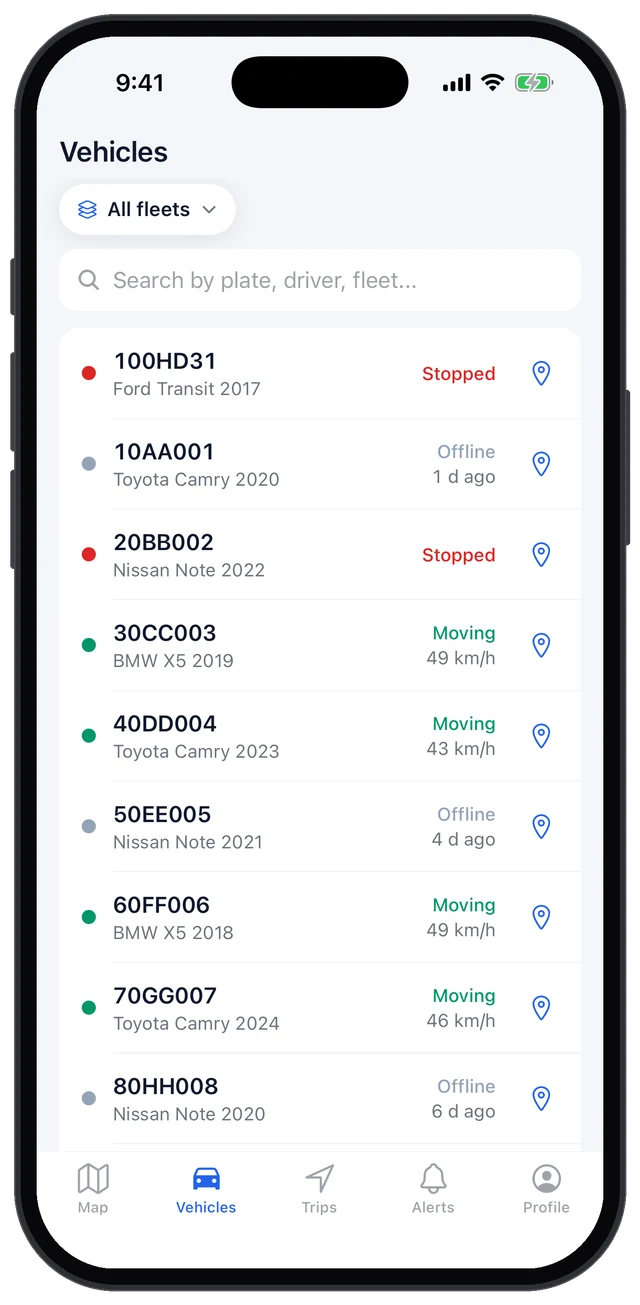
Mobile app
The live map, your vehicles, their trips and alerts, on your phone.
Why Trekk
Simple from day one
No training needed: it makes sense right away.
Works with your trackers
Popular GPS trackers connect directly.
Real support
Talk directly to the people who build it.
Questions
Which GPS trackers work?
Teltonika trackers connect directly. If you use another brand, ask us.
Can I use the trackers I already have?
Yes, if they're supported. We change the server address in the tracker and your data starts coming in.
How long is history kept?
Routes and trips for 6 months, the activity log for 12 months.
Who sees my vehicles?
Only your company's users and the installer who serves you, each within what their role allows.
Do I need to install anything?
No. The dashboard opens in a browser; the mobile app and the Telegram bot are optional.